
 QuikSheetsBusiness spreadsheets, without another subscription
Calculate. Analyze. Collaborate. All in one place.
Create spreadsheets, organize business data, run calculations, build visualizations and collaborate with your team — all inside the Quikit ecosystem.
Included with any Quikit product at no additional cost.
No credit card required. Up and running in minutes. See QuikSheets in action →
Workspace → Sheets → Q3 pipeline
LiveQ3 pipeline tracker
shared · 4 editors · linked to QuikCRM
- Nikhil
- Fatima
- Arjun
- North$42,000$18,40044%
- West$38,500$12,10031%
- South$27,200$6,00022%
- East$19,800$9,30047%
=SUM(C2:C5)/SUM(B2:B5)Your business runs on data. But your data doesn’t always stay connected.
Sales trackers, budgets, project plans, forecasts — spreadsheets are everywhere. Kept apart from your systems, they create more work than they save.
- 01
Too many versions
Different teams maintain their own copies of the same spreadsheet, making it hard to know which numbers are current.
- 02
Data gets scattered
Important business information ends up across spreadsheets, drives, emails and different applications.
- 03
Manual work adds up
Copying data, updating formulas, reconciling sheets and preparing reports consume hours that should go into analysis.
- 04
Collaboration gets messy
When multiple people work on different versions, small changes quickly create bigger inconsistencies.
- 05
Data doesn’t have context
A spreadsheet holds the number — but not the project, customer, employee or workflow behind it.
- 06
Too many tools
Businesses pay separately for spreadsheets, reporting tools, dashboards and collaboration software.
The real problem
The problem isn’t spreadsheets. It’s disconnected data.
A number is only useful when you can see the work that produced it.
Stop treating spreadsheets as files. Start using them as part of your business.
Spreadsheet work runs export, edit, email, reconcile, upload, repeat. QuikSheets brings it into one place.
- ExportCreate
- DownloadCalculate
- Email aroundAnalyze
- Reconcile copiesCollaborate
- Upload againConnect
Instead of asking “where is the latest spreadsheet?”, your team can focus on the questions the data is actually for:
- What does the data tell us?
- What changed?
- Why did it change?
- What should we do next?
Your everyday spreadsheet workspace, built into Quikit.
A familiar way for every team to create, manage, analyze and collaborate on business data — without adding another disconnected tool to your stack.
- 01CreateA familiar, flexible workspace
Build spreadsheets in an environment your team already knows how to use, with no new way of working to learn first.
- 02CalculateLet the spreadsheet do the maths
Use formulas and functions to work with numbers faster and automate the repetitive calculations that eat the afternoon.
- 03AnalyzeRows and columns into information
Turn raw data into something useful through tables, charts and structured analysis rather than manual inspection.
- 04CollaborateOne sheet instead of five copies
Work together on the same data instead of passing multiple spreadsheet versions around and reconciling them later.
- 05OrganizeBusiness data that stays findable
Keep business data structured, accessible and easier to manage in one central workspace.
- 06ConnectCloser to the work that made it
Bring spreadsheet work closer to the Quikit applications and workflows your teams already use.
Everything you need to work with data.
The essential capabilities to create, manage, analyze and share business data — all included with your Quikit product.
- 01Familiar interfaceEnter, organize and manage business data in a spreadsheet experience your team already knows.
- 02Formulas & functionsPerform calculations, automate repetitive work and turn raw numbers into useful outputs.
- 03Tables & organizationOrganize large datasets into clean, structured tables that are easier to understand.
- 04Charts & visualizationTurn spreadsheet data into visuals that make trends, comparisons and patterns obvious.
- 05CollaborationBring your team into the same spreadsheet instead of managing multiple copies.
- 06Comments & feedbackReview numbers and ask questions without moving the conversation to another application.
- 07TemplatesCreate reusable spreadsheet structures for recurring business needs.
- 08Data managementCreate, manage and organize spreadsheets in one central workspace.
One spreadsheet workspace. More connected business data.
A spreadsheet should do more than store numbers.
Your data becomes valuable when your team can understand it. QuikSheets moves the work from raw data through to something you can act on.
- 01
Organize
Bring scattered information into structured tables.
- 02
Calculate
Use formulas and functions to process your data.
- 03
Compare
Identify differences, trends and patterns.
- 04
Visualize
Turn important numbers into charts and reports.
- 05
Understand
Give your team a clearer view of what the data means.
Don’t just manage numbers. Make them useful.
Everyone uses spreadsheets. Everyone gets QuikSheets.
Spreadsheets aren’t a finance-only tool — almost every team in a business lives in them.
Finance
- Budgets
- Forecasts
- Expense tracking
- Financial analysis
Sales
- Lead trackers
- Sales reports
- Pipeline data
- Revenue analysis
Marketing
- Campaign trackers
- Marketing reports
- Content calendars
- Performance data
HR
- Employee records
- Hiring trackers
- Attendance data
- Workforce planning
Operations
- Process trackers
- Inventory sheets
- Operational reports
- Resource planning
Projects
- Project trackers
- Task lists
- Timelines
- Delivery reporting
Leadership
- Business plans
- Dashboards
- Forecasts
- Decision support
Customer success
- Customer trackers
- Account reports
- Renewal data
- Service metrics
One spreadsheet workspace. Every team.
One sheet. One team. One version of the data.
Spreadsheets get hard when everyone has their own copy, starts from blank and nobody knows where things belong.
Stop reconciling versions
Build, review and edit together, with feedback in context, so changes don’t turn into disconnected copies that have to be merged by hand later.
- Create together
- Review together
- Edit together
- Share easily
- Stay current
Don’t build the same spreadsheet twice
Most business spreadsheets follow repeatable patterns, so there’s no reason to start from a blank sheet every time. Create once, reuse everywhere.
- Budgets
- Sales trackers
- Project trackers
- Employee records
- Marketing reports
- Expense sheets
- Inventory trackers
- Dashboards
Keep business data organized
A spreadsheet becomes hard to use when nobody knows where it belongs. One central workspace to create, organize and maintain them.
- Centralize
- Structure
- Maintain
- Access
- Collaborate
Less searching. Less duplication. More usable data.
Your spreadsheet knows the numbers. Your business knows the context.
A sales spreadsheet should relate to sales. A project tracker should relate to projects. Data doesn’t have to travel alone.
QuikCRM
- Customer data
- Sales analysis
- Pipeline reporting
QuikProjects
- Project tracking
- Delivery reporting
- Project data
QuikPeople
- Employee information
- Workforce planning
- People data
QuikFinance
- Financial data
- Budgets & forecasts
- Business analysis
QuikInsights
- Broader business insight
- Performance reporting
- Shared metrics
QuikScale
- Planning
- Forecasting
- Strategic analysis
QuikSocial & QuikSEO
- Marketing data
- Growth analysis
- Campaign performance
QuikDocs
- Reports beside the data
- Shared knowledge
- Supporting documentation
Your data shouldn’t live in isolation from the business it represents.
Spreadsheets are easy. Connecting them to your business is the difference.
Less time managing spreadsheets. More time using the data.
Familiar by design
Your team doesn’t need to learn an entirely new way to work with data.
Everything you need to calculate
Formulas, functions, tables and formatting for working with data efficiently.
Collaboration in context
Build, edit, review and share without moving the work between tools.
Data stays organized
Keep working spreadsheets structured, accessible and easier to maintain.
Less duplication
Reduce the multiple copies of the same spreadsheet that drift apart.
Less manual work
Formulas, templates and structured workflows accelerate the repetitive parts.
Connected to your business
Work alongside the Quikit applications your teams already use.
No extra subscription
QuikSheets is included with any Quikit product at no additional cost.
You don’t need another spreadsheet subscription.
The grid and formulas are table stakes. What differs is whether the sheet knows your business.
Two ways to work with your data.
A traditional spreadsheet tool
Helps you work with data — in its own place, on its own subscription, away from the business.
QuikSheets
Helps you work with data inside your business ecosystem, included with your Quikit product.
Stop paying separately for every tool your team needs.
You already pay for software running customers, projects and finance. Why analyze the data elsewhere?
Another per-user licence, away from the work
- Its own bill
- Its own admin
- Its own identity
- Exported copies
- No business context
- Another place to look
Included with any Quikit product
Spreadsheet creation, calculations, charts, collaboration, templates and connections with the rest of Quikit are built into the ecosystem rather than sold alongside it.
One less subscription. One more connected workspace.
$0additional per user
Reported on the QuikSheets product page
- 10K+spreadsheets created
- 2.5K+active teams
- 50K+data records managed
- $0additional cost with Quikit
Product-reported adoption figures. Results and usage vary by organization.
Your spreadsheet workspace. Included with Quikit.
No separate spreadsheet subscription. No additional per-user fee.
Free
$0for 14 days
Experience the full QuikSheets product before you commit, with every feature unlocked.
No credit card required
- Every QuikSheets feature unlocked
- Spreadsheet creation
- Formulas & functions
- Tables & data organization
- Charts & visualization
- Collaboration
- Comments & feedback
- Templates
- Data management
Premium
$0included with Quikit
Included with any Quikit product. No separate spreadsheet subscription.
No separate spreadsheet licence
Everything in Free, plus:
- Full spreadsheet workspace
- Connections with other Quikit products
- Available across your organization
- Full REST API
- Email & chat support
Pro
$1/ product / user / month
Expand your Quikit workspace with additional business applications.
Add products as your business grows
Everything in Premium, plus:
- Add products as your business grows
- One login across the suite
- Shared data
- One AI layer
- QuikCRM, QuikProjects, QuikFinance and more
Enterprise
Custom
For larger organizations and bespoke requirements.
Tailored to your organization
- Dedicated account manager
- Migration and onboarding support
- Custom deployment
- Priority support
- API and integration support
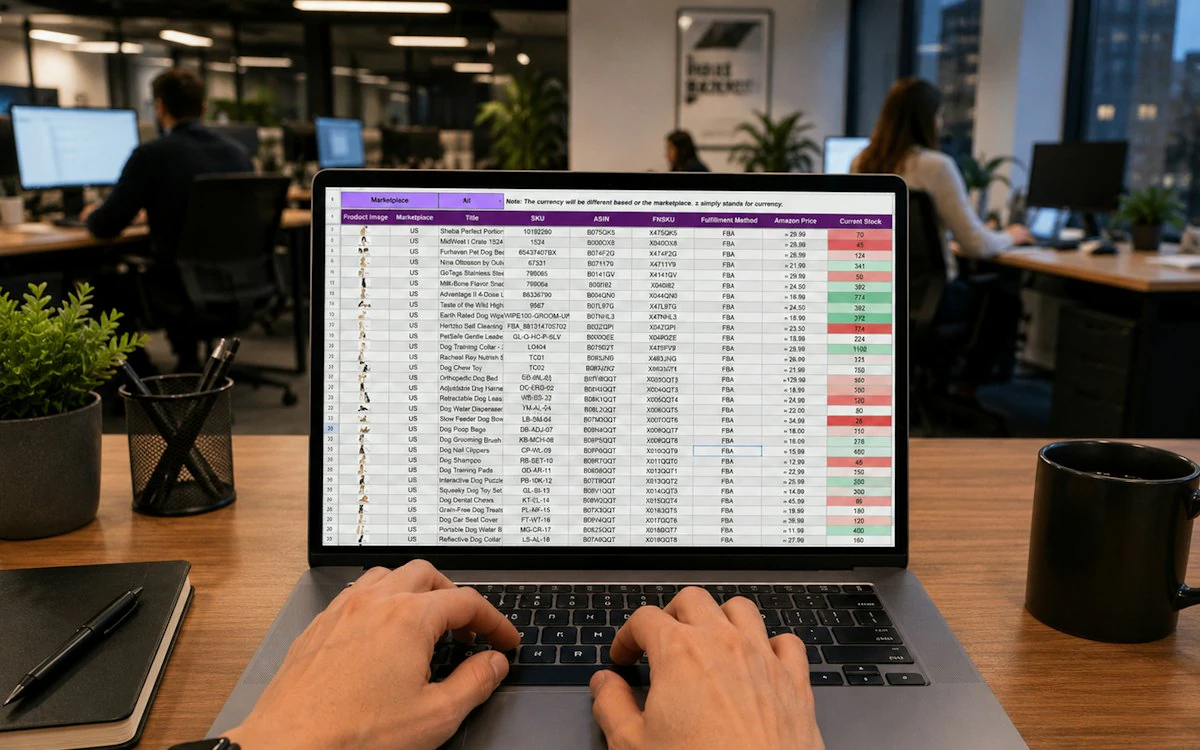
QuikSheets is an online spreadsheet and data management workspace within the Quikit ecosystem. It helps teams create, organize, calculate, analyze and collaborate on business data.
Let’s replace your spreadsheet tool.
Tell us what your team uses today and how many people are on it. We’ll show you what QuikSheets covers at no additional cost.
- 1Your sheet, in contextA real tracker sitting beside the CRM or project data behind it.
- 2The version problem, goneOne sheet, several editors, no reconciliation at the end of it.
- 3The subscription you dropWhat your spreadsheet tool costs today against $0 with Quikit.
Work with data without adding another tool.
Create spreadsheets, run calculations, analyze data, build visualizations and keep it connected to the business.
- Create
- Calculate
- Analyze
- Visualize
- Collaborate
- Connect
No extra spreadsheet subscription. Included with your Quikit product.