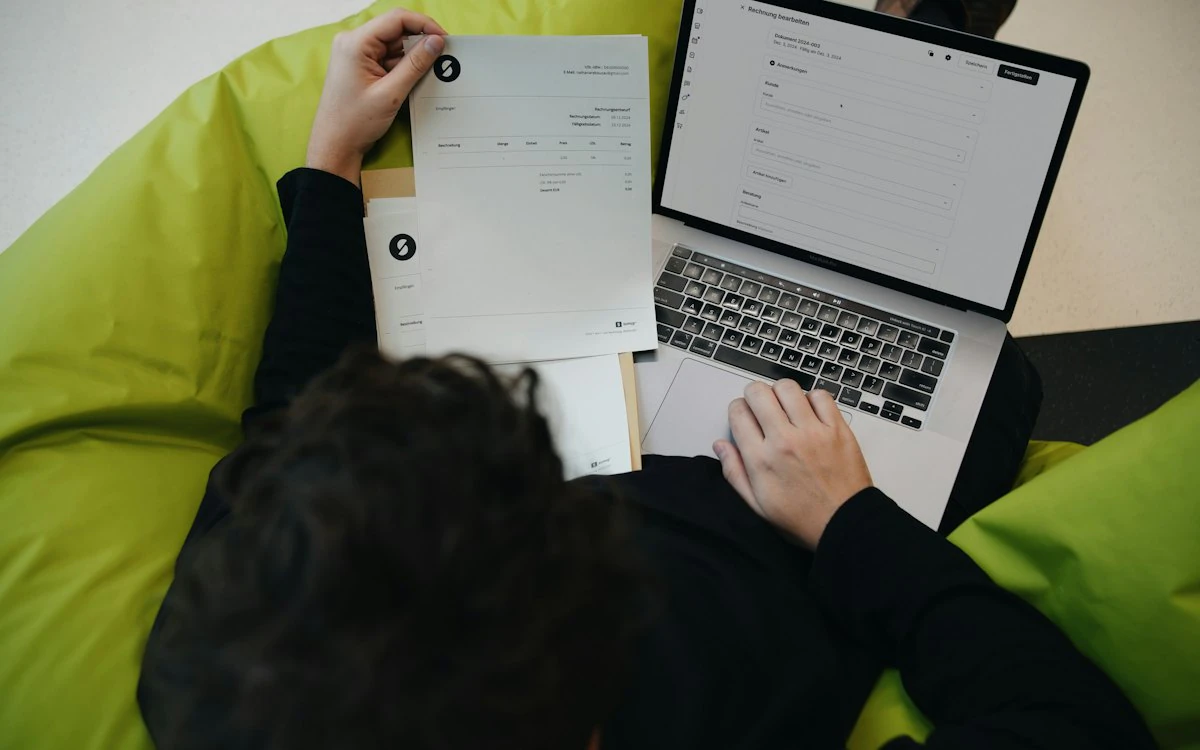
Getting paid on time is just as important as making a sale.
A business can have strong revenue and still experience financial pressure if customers take too long to pay. At the same time, paying vendors without proper visibility can create unnecessary cash-flow pressure and make it difficult to understand upcoming financial obligations.
This is why accounts receivable and accounts payable management are critical parts of business finance.
Accounts receivable helps a business understand the money customers owe.
Accounts payable helps it understand the money it owes vendors.
When these two areas are managed through disconnected spreadsheets, emails and manual follow-ups, finance teams can spend significant time tracking balances, checking documents, reconciling transactions and preparing reports.
Modern accounts receivable and payable software can bring these activities into one connected financial workflow.
QuikFinance combines receivables and payables with accounting, sales, purchases, reporting, inventory accounting and financial controls, giving businesses a more connected view of money coming in and going out.
What Are Accounts Receivable and Accounts Payable?
Before looking at software, it's important to understand the two concepts.
What Is Accounts Receivable?
Accounts receivable, commonly called AR, represents money customers owe a business for goods or services that have already been provided but not yet paid for.
For example, suppose a company issues a ₹1,00,000 invoice with 30-day payment terms.
Until the customer pays, that ₹1,00,000 is an account receivable.
The finance team needs to know:
- Who owes the money?
- How much do they owe?
- When is payment due?
- How long has the invoice been outstanding?
- Has the customer made a partial payment?
- Are there overdue invoices?
- What is the customer's total outstanding balance?
Good receivables management helps businesses convert sales into actual cash.
What Is Accounts Payable?
Accounts payable, commonly called AP, represents money a business owes to vendors for goods or services it has received but has not yet paid for.
For example, a company may receive a ₹2,00,000 vendor bill with 30-day payment terms.
Until that bill is paid, the amount is an accounts payable obligation.
The finance team needs to know:
- Which vendors need to be paid?
- How much is outstanding?
- When is payment due?
- Which bills are overdue?
- What payments are scheduled?
- Which bills have supporting documents?
- How do outstanding payables affect cash flow?
Managing payables properly helps businesses maintain vendor relationships while controlling cash commitments.
Why Receivables and Payables Matter Together
It is tempting to manage receivables and payables as separate accounting functions.
But they are closely connected through cash flow.
Consider a business with:
₹50 lakh in outstanding customer receivables
and
₹35 lakh in vendor payables.
On paper, the business may appear financially healthy.
But if customers pay after 60 days while vendors expect payment within 30 days, the business may experience a cash-flow gap.
This is why finance teams need visibility into both sides.
The objective isn't simply to increase collections or delay payments.
It is to understand:
Money coming in + money going out + when each movement happens.
The Problems With Manual AR and AP Management
Many businesses begin with spreadsheets.
A spreadsheet may contain:
- Invoice numbers
- Customer names
- Due dates
- Payment status
- Vendor bills
- Payment dates
- Outstanding amounts
This can work for a small transaction volume.
But as the business grows, several problems emerge.
1. Manual Data Entry
Finance teams repeatedly enter information from invoices, bills, receipts and payment records.
2. Missed Due Dates
Invoices and vendor bills can remain unnoticed when there is no central ageing or reminder system.
3. Limited Visibility
Management may need to ask the finance team for an updated receivables or payables position.
4. Reconciliation Effort
Teams spend time comparing invoices, payments, credit notes and outstanding balances.
5. Scattered Documents
Supporting documents may sit in email inboxes, folders or messaging applications.
6. Poor Cash-Flow Planning
Without accurate information about expected collections and upcoming obligations, financial planning becomes more difficult.
7. Weak Auditability
It may be difficult to reconstruct who created, approved or changed a financial transaction.
These problems become more significant as transaction volume increases.
How Accounts Receivable Software Helps
Modern accounts receivable software centralises the customer-to-cash process.
Instead of maintaining customer balances separately, the accounting system can connect:
Customer → Sales Order → Invoice → Receivable → Payment → Account
This creates a continuous financial record.
Key Accounts Receivable Capabilities
Customer Invoicing
Create invoices directly from sales transactions.
Recurring Invoices
Automate recurring billing for customers with subscription or repeat-service arrangements.
Credit Notes
Record adjustments against customer balances when required.
Customer Advances
Track advance payments received from customers.
Payment Recording
Record customer payments against outstanding invoices.
Customer Statements
Provide customers with a view of their invoices, payments and outstanding balances.
Receivables Ageing
Group outstanding invoices according to how long they have remained unpaid.
For example:
- Current
- 1–30 days
- 31–60 days
- 61–90 days
- 90+ days
This helps finance teams prioritise collection efforts.
How Accounts Payable Software Helps
Accounts payable software provides the same type of structure on the vendor side.
The workflow can connect:
Vendor → Purchase → Bill → Payable → Payment → Account
This allows finance teams to understand the financial obligation created by a purchase.
Key Accounts Payable Capabilities
Vendor Bills
Record amounts owed to vendors.
Vendor Credits
Track adjustments or credits received from vendors.
Expense Management
Record business expenses and related supporting documents.
Payment Management
Record payments against outstanding vendor balances.
Vendor Statements
Review financial activity and outstanding balances with vendors.
Payables Ageing
Understand which vendor obligations are current and which are overdue.
Payment Scheduling
When integrated with broader financial workflows, businesses can plan upcoming vendor payments based on due dates and obligations.
How QuikFinance Manages Receivables
QuikFinance provides a connected sales and receivables workflow.
Businesses can manage:
- Quotations
- Sales orders
- Invoices
- Recurring invoices
- Delivery challans
- Credit notes
- Customer advances
- Payments received
- Payment links
- Customer statements
- Receivables dashboards
The advantage is that receivables don't exist separately from sales.
A financial team can follow the transaction from the original commercial activity through invoicing and payment.
Receivables Ageing in QuikFinance
One of the most useful tools for managing customer collections is receivables ageing.
Instead of looking at one total outstanding amount, finance teams can categorise balances based on how long invoices have been outstanding.
For example:
Current
- Outstanding
- ₹8,00,000
1–30 days
- Outstanding
- ₹5,00,000
31–60 days
- Outstanding
- ₹3,00,000
61–90 days
- Outstanding
- ₹1,50,000
90+ days
- Outstanding
- ₹1,00,000
Total
- Outstanding
- ₹18,50,000
| Ageing | Outstanding |
|---|---|
| Current | ₹8,00,000 |
| 1–30 days | ₹5,00,000 |
| 31–60 days | ₹3,00,000 |
| 61–90 days | ₹1,50,000 |
| 90+ days | ₹1,00,000 |
| Total | ₹18,50,000 |
The total outstanding amount alone doesn't tell the full story.
The ageing distribution tells management where collection attention may be required.
A ₹1 crore receivable position with most invoices current can represent a very different situation from ₹1 crore where a large portion is more than 90 days overdue.
How QuikFinance Manages Payables
QuikFinance provides purchase and payable capabilities including:
- Purchase orders
- Goods receipt notes
- Vendor bills
- Vendor credits
- Payments
- Expenses
- Vendor statements
- Payables ageing
This gives finance teams visibility into obligations created by purchasing and operating expenses.
The system can therefore help answer:
How much do we owe?
Who do we owe?
When is it due?
What has already been paid?
What remains outstanding?
Connecting Procurement With Payables
Accounts payable becomes even more useful when it is connected with procurement.
Consider this workflow:
Purchase Request
↓
Vendor Quotation
↓
Purchase Order
↓
Goods Receipt
↓
Vendor Bill
↓
Payment
When these steps are disconnected, finance may need to manually verify whether a bill corresponds to an approved purchase.
With connected procurement and accounting workflows, information can move through the process more systematically.
QuikPurchase can extend QuikFinance's financial workflows with procurement capabilities such as sourcing, quotation comparison, purchase orders and approvals.
When used together, QuikPurchase and QuikFinance can support workflows including invoice booking and three-way matching.
What Is Three-Way Matching?
Three-way matching is a control used to compare:
Purchase Order
Goods Receipt
Vendor Invoice
The purpose is to determine whether the invoice matches what was ordered and what was actually received.
For example:
A purchase order says:
100 units × ₹1,000 = ₹1,00,000
The goods receipt confirms:
100 units received
The vendor invoice says:
100 units × ₹1,000 = ₹1,00,000
The documents agree.
Now consider another scenario.
The purchase order says 100 units.
The receipt confirms 80 units.
The vendor invoice is for 100 units.
The mismatch should be identified before payment.
QuikFinance supports three-way matching when used with QuikPurchase.
This creates an additional financial control between procurement and accounts payable.
How Automation Improves AR and AP Management
Automation doesn't mean removing finance professionals from the process.
It means reducing repetitive work so finance teams can focus on exceptions, decisions and analysis.
For example, accounting software can automate:
- Invoice creation
- Recurring invoices
- Payment recording
- Customer statements
- Vendor statements
- Ageing reports
- Accounting entries
- Document association
- Approval workflows
- Matching processes
This reduces repetitive manual work and can improve consistency.
OCR and Accounts Payable
Vendor bills are a major source of manual data entry.
A finance employee may have to read a PDF or scanned document and manually enter:
- Vendor
- Invoice number
- Date
- Tax details
- Line items
- Total amount
QuikFinance includes OCR capabilities for scanned bills and receipts.
OCR can extract relevant information from documents, which can then be reviewed before posting.
This can help reduce repetitive data-entry work while retaining human verification.
Why AR and AP Should Be Connected to Accounting
A common problem with separate AR and AP tools is that finance teams have to reconcile information back into the accounting system.
A connected accounting platform changes this relationship.
A customer invoice affects:
Receivable + Revenue + Tax + Ledger
A customer payment affects:
Bank + Receivable
A vendor bill affects:
Expense/Inventory + Payable + Tax
A vendor payment affects:
Payable + Bank
Because these transactions are connected to the accounting system, financial reports can reflect the underlying activity.
AR and AP Impact on Cash Flow
Receivables and payables directly influence working capital.
Imagine:
₹25 lakh expected from customers
and
₹20 lakh payable to vendors
The business may appear to have ₹5 lakh of positive net movement.
But timing matters.
If the ₹20 lakh vendor payments are due this week while the ₹25 lakh customer collections are expected next month, the business still needs to manage a short-term cash requirement.
This is why finance teams need more than balances.
They need:
Amount + Due Date + Status + Counterparty + Context
Accounting software can make this information easier to access.
How Business Owners Can Improve Receivables
Technology helps, but process matters too.
Businesses can improve collections by:
Setting Clear Payment Terms
Customers should know when payment is due.
Invoicing Promptly
Delaying invoices delays the start of the collection cycle.
Monitoring Ageing
Don't wait until an invoice becomes significantly overdue before identifying it.
Following Up Systematically
Prioritise overdue and high-value accounts.
Reviewing Customer Payment Behaviour
Repeated late payments may require changes to credit terms.
Connecting Sales and Finance
Sales teams should understand how customer payment behaviour affects the business.
How Businesses Can Improve Payables
Similarly, businesses can improve payables management by:
Maintaining Accurate Vendor Records
Keep vendor information structured and current.
Verifying Bills
Ensure invoices correspond to legitimate purchases and receipts.
Using Approval Controls
Require appropriate approval before financial commitments are made.
Planning Payments
Understand upcoming obligations instead of paying reactively.
Monitoring Vendor Terms
Use agreed payment terms effectively.
Maintaining Documentation
Keep supporting documents connected to transactions.
Why Cloud Accounting Software Helps
Cloud accounting makes financial information more accessible to authorised users.
Instead of maintaining accounting information on one computer, teams can work through a shared platform.
This can be useful when:
- Finance teams work remotely
- Business owners need real-time visibility
- External accountants need controlled access
- Multiple departments generate financial transactions
- Businesses operate across locations
QuikFinance is designed as a cloud-native, multi-tenant accounting platform, with organisation-level data isolation and role-based access.
Who Needs Receivables and Payables Software?
Almost every growing business can benefit from structured AR and AP management.
However, the need becomes particularly important for businesses with:
- High invoice volumes
- Multiple customers
- Multiple vendors
- Credit sales
- Credit purchases
- Project-based billing
- Inventory purchases
- Recurring invoices
- Growing finance teams
- Increasing transaction complexity
Professional services firms, agencies, distributors, technology companies, contractors and other growing organisations can all face these challenges.
What to Look for in AR and AP Software
When evaluating accounting software, look beyond the ability to create invoices.
Consider whether the platform provides:
Receivables
- Customer invoices
- Payment tracking
- Credit notes
- Customer statements
- Ageing
- Payment links
Payables
- Vendor bills
- Vendor credits
- Payment tracking
- Vendor statements
- Ageing
- Document management
Accounting
- Double-entry accounting
- General ledger
- Financial statements
- Tax handling
- Period controls
Automation
- OCR
- Recurring transactions
- Automated accounting entries
- Matching
- Notifications
Controls
- Permissions
- Approval workflows
- Audit trails
- Transaction locks
- Financial period locks
Integration
- Procurement
- CRM
- Inventory
- Projects
- Payment systems
- APIs
The goal should be to choose software that supports the entire financial process rather than one isolated task.
Final Thoughts
Accounts receivable and accounts payable represent two sides of a business's financial operations.
Receivables tell you what customers owe you.
Payables tell you what you owe others.
But the real value comes from understanding both together and connecting them to the accounting system.
Modern accounts receivable and payable software can reduce manual tracking, improve visibility and help finance teams manage collections, vendor obligations and cash-flow planning more effectively.
QuikFinance brings these capabilities into a broader cloud accounting platform that connects sales, purchases, inventory accounting, projects, financial reporting and controls.
When combined with QuikPurchase, businesses can also connect procurement with financial workflows such as invoice booking and three-way matching.
The result is a more connected financial picture:
Sell → Invoice → Collect
and
Buy → Receive → Record → Pay
Because when finance teams can see what is coming in, what is going out and what is due next, financial decisions become easier to make.
10 Frequently Asked Questions
1. What is accounts receivable?
Accounts receivable is money owed to a business by customers for goods or services that have already been provided but have not yet been paid for.
2. What is accounts payable?
Accounts payable is money a business owes to vendors for goods or services it has received but has not yet paid for.
3. What is accounts receivable and payable software?
Accounts receivable and payable software helps businesses manage customer invoices, collections, vendor bills, payments, outstanding balances, ageing and related accounting workflows in a structured system.
4. How does accounting software help manage receivables?
Accounting software can centralise customer invoices, payments, credit notes, statements and ageing information, helping finance teams monitor outstanding balances and collection status.
5. How does accounting software help manage payables?
It can centralise vendor bills, credits, payments, statements and ageing information, giving businesses better visibility into upcoming and outstanding financial obligations.
6. What is receivables ageing?
Receivables ageing categorises outstanding customer balances based on how long they have remained unpaid, helping businesses identify overdue and high-priority collections.
7. What is payables ageing?
Payables ageing categorises outstanding vendor obligations based on how long they have remained unpaid. It helps finance teams understand upcoming and overdue payment obligations.
8. Does QuikFinance support accounts receivable and payable management?
Yes. QuikFinance supports sales and receivables as well as purchases and payables, including invoices, bills, payments, credit notes, customer and vendor statements and ageing reports.
9. Does QuikFinance support three-way matching?
Yes, when used with QuikPurchase. Three-way matching compares the purchase order, goods receipt and vendor invoice before the financial obligation is processed.
10. Can QuikFinance automate invoice data entry?
Yes. QuikFinance includes OCR capabilities that can extract information from scanned bills and receipts. The extracted information can be reviewed before posting.
Know What You Are Owed. Know What You Owe.
Bring receivables, payables and accounting together with QuikFinance.
Explore QuikFinance → Book a Demo
See it running on your business.
A walkthrough built around how your team works today.